New, November 2026
One Loyalty Program. Online + In-Store.
Anchor runs on Shopify POS. Staff see a customer's points, tier and the rewards they can afford on the POS customer screen, and apply a reward to the cart with one tap. The balance is the same one the customer sees on your online store, in checkout and in their account.
 Install Free on Shopify
POS is on every plan, including Free. Orders at the counter count towards the plan's monthly order limit like online orders.
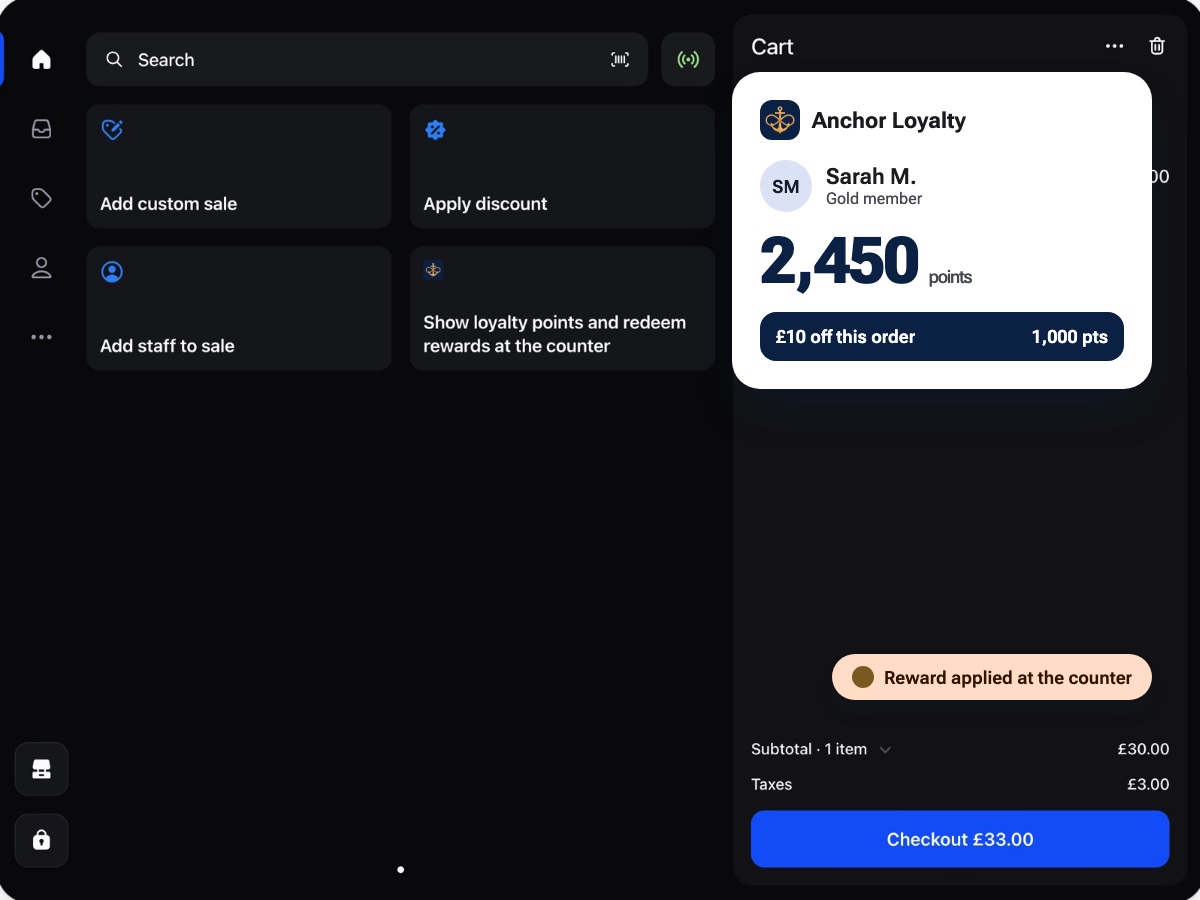
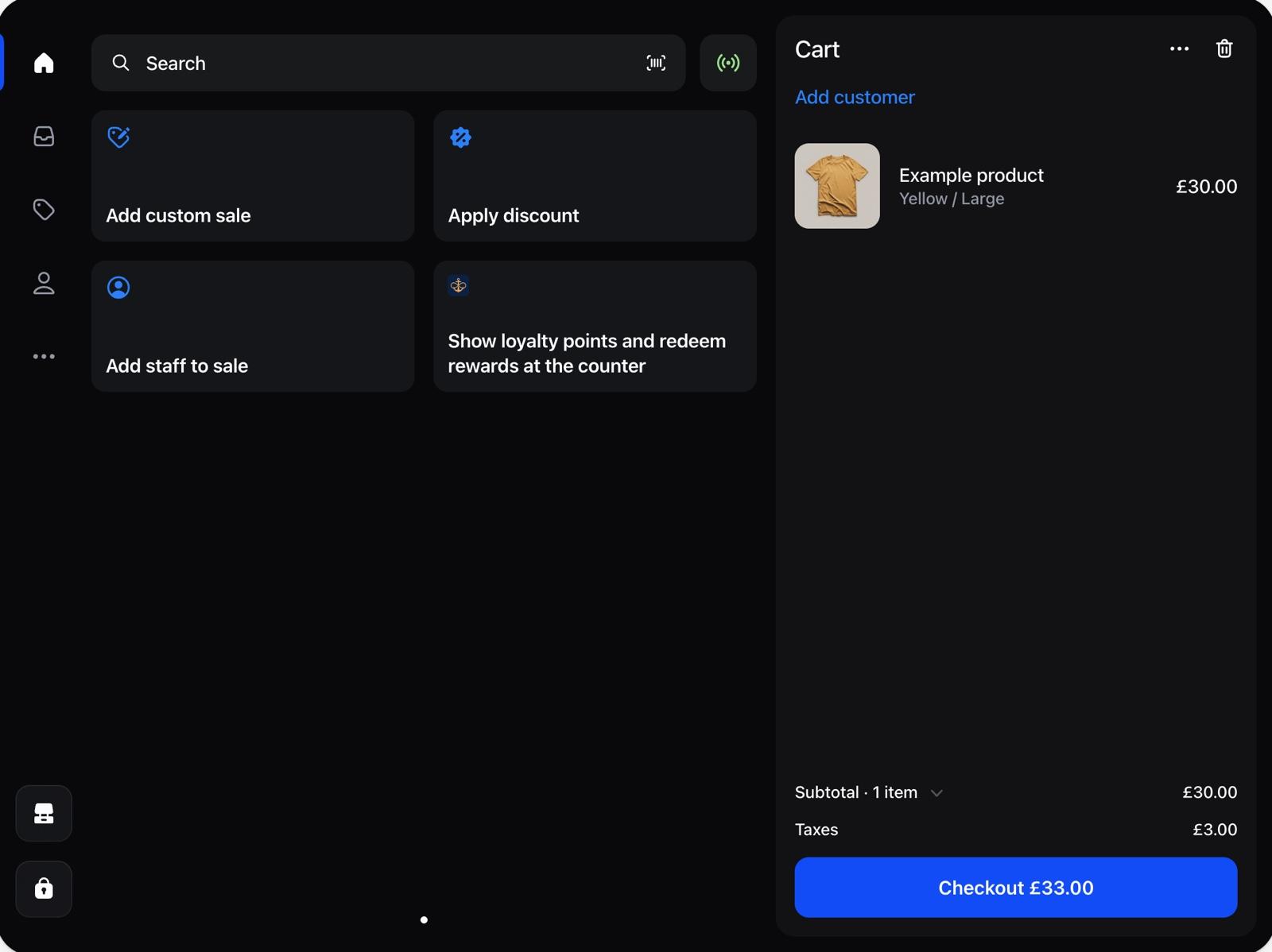
The Anchor tile on the Shopify POS home screen, then the loyalty panel and a reward applied to the cart.
In brief
Anchor adds a loyalty tile to the Shopify POS home screen and a loyalty block to the POS customer screen. Staff add the customer to the cart, see points, tier and affordable rewards, redeem one, and Anchor applies the discount code to the cart. Walk-in customers can join the program at the counter and get the welcome bonus. Free up to 200 orders a month across POS and online; VIP tiers from $14.99 a month.
Why one balance matters for stores that sell in person
Most loyalty apps are built for the online store. The moment a retailer adds Shopify POS, the program splits: customers earn points online but nothing at the till, staff have no way to see who is a member, and the balance shown in the widget does not match what the customer was told in the shop.
Anchor keeps one balance, one tier and one referral link per Shopify customer. Points earned online, at the counter or on a headless storefront land in the same balance, and a reward can be spent on any of them. A customer who buys online on Monday and visits the shop on Saturday arrives with the right balance and the right tier.
At the counter, step by step
- 1
Add the customer to the cart
Staff search by name, email or phone in Shopify POS, as they do for any order. The Anchor tile on the home screen shows the member summary: points and the number of rewards available.
- 2
Open the loyalty block on the customer screen
The block shows the points balance, the tier, the rewards the customer can afford right now, the next rewards and how many points they need, and recent activity such as purchases, welcome bonus and redemptions.
- 3
Redeem a reward
Tap Redeem reward, pick one the balance covers, and Anchor creates the discount code and applies it to the cart. If the cart cannot take the code, the code is shown so staff can enter it by hand. Unused codes from earlier redemptions are listed too.
- 4
Take payment
The order is paid as usual. Points for the order are awarded when Shopify marks it paid, at the same earn rate as online, with the tier multiplier applied.
- 5
Sign up walk-in customers
If the customer is not a member yet, staff can join them to the program from the same screen. If a welcome bonus is set, it is awarded on the spot.
What staff see in Shopify POS
- Home screen tile
- Points and rewards available for the customer on the cart. Opens the full loyalty view.
- Customer screen block
- Points, tier, rewards available, next rewards with the points still needed, and recent activity.
- Redeem reward action
- Lists the rewards the balance covers, applies the chosen discount code to the cart, and shows the code if it has to be typed.
- Join the program
- Signs a walk-in customer up to the program, with the welcome bonus if you have one.
- Staff access
- A staff account only sees loyalty details if the store owner has given it access to the Anchor app in Shopify admin. Otherwise the tile says so.
- Clear errors
- Not enough points, expired points, a tier the reward needs, a reward limit reached: each case is explained in plain words on the screen.
What you need
- Shopify POS on any Shopify plan. The Anchor POS extension installs with the app; there is nothing separate to add in the POS app beyond enabling the tile.
- Anchor on any plan, including Free. POS does not need Growth or Pro.
- Staff accounts with access to the Anchor app, set by the store owner in Shopify admin.
- The same earn rules as online. Points are awarded on paid orders; refunds take the points back.
Related
- All Anchor features, points, VIP tiers, referrals, campaigns
- How to build a Shopify rewards program, the setup playbook
- Shopify VIP program guide, tier design
- Anchor pricing, Free, Growth ($14.99), Pro ($39.99)
One install. Loyalty online and at the counter.
Free up to 200 orders a month across POS and online. VIP tiers from $14.99 a month. 32 languages, 14 KB widget.